Intro Link to heading
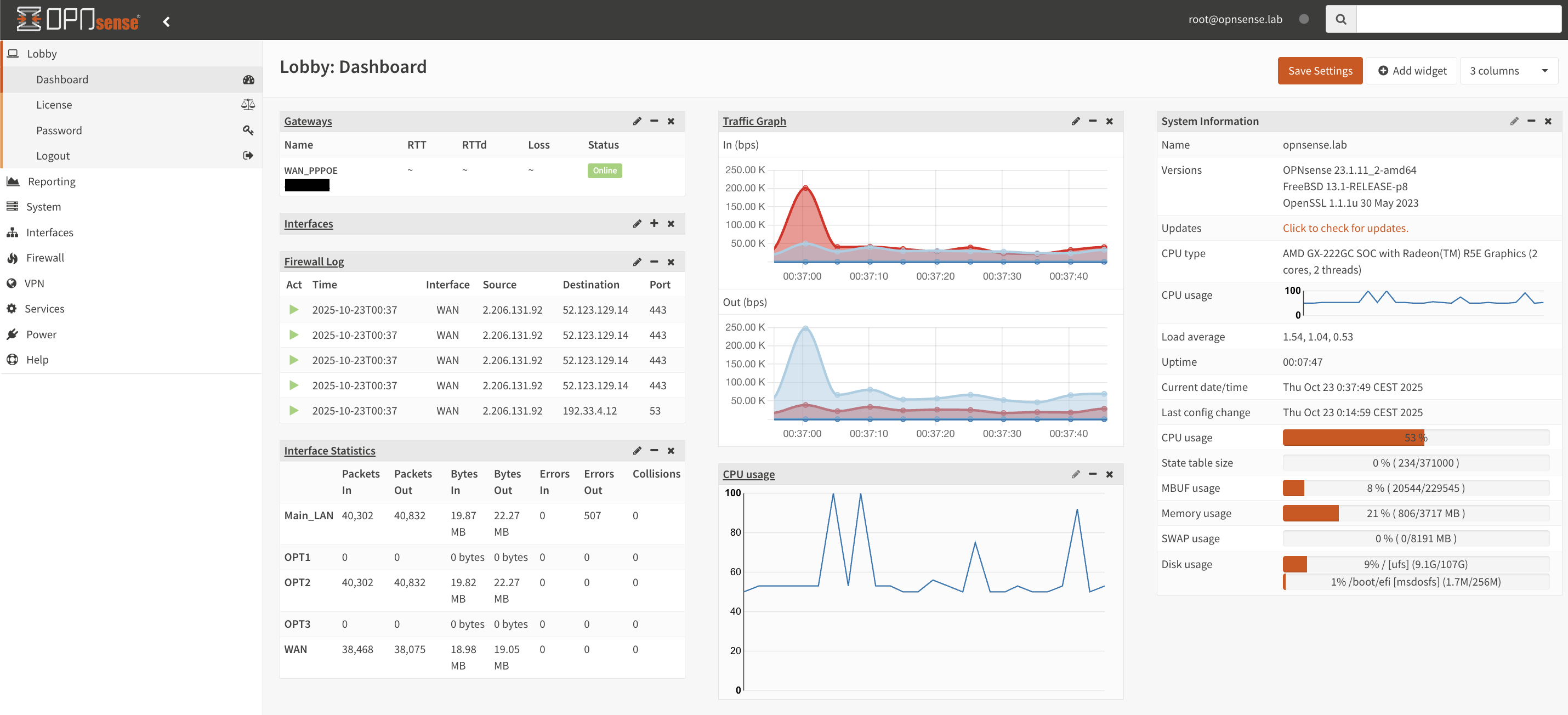
I recently moved into a new apartment and had to fix my network setup to work at the new place. What I thought would be a straight-up migration ended up with me having to troubleshoot my Router settings waaaay longer than I wanted to.
As with so many other problems, I somehow got it to work after hours poking in the dark, largely because I had overlooked the obvious. What ended up being the final nudge in the right direction was a two-year-old post in the OPNSense Forum that one might easily overlook.
At the end of this odyssey, I just wanted to leave behind a super simple description of the problem and the solution that ended up working for me.
Setup Link to heading
The WAN-side of my network is pretty simple, basically I have an old 100 mbit/s DSL modem that is operating in Bridge Mode, which essentially just means that it passes the signal to my Router without doing any real “networking” itself.
The Router itself is an old Fujitsu S920 I bought off E-Bay and pretty much looks like this
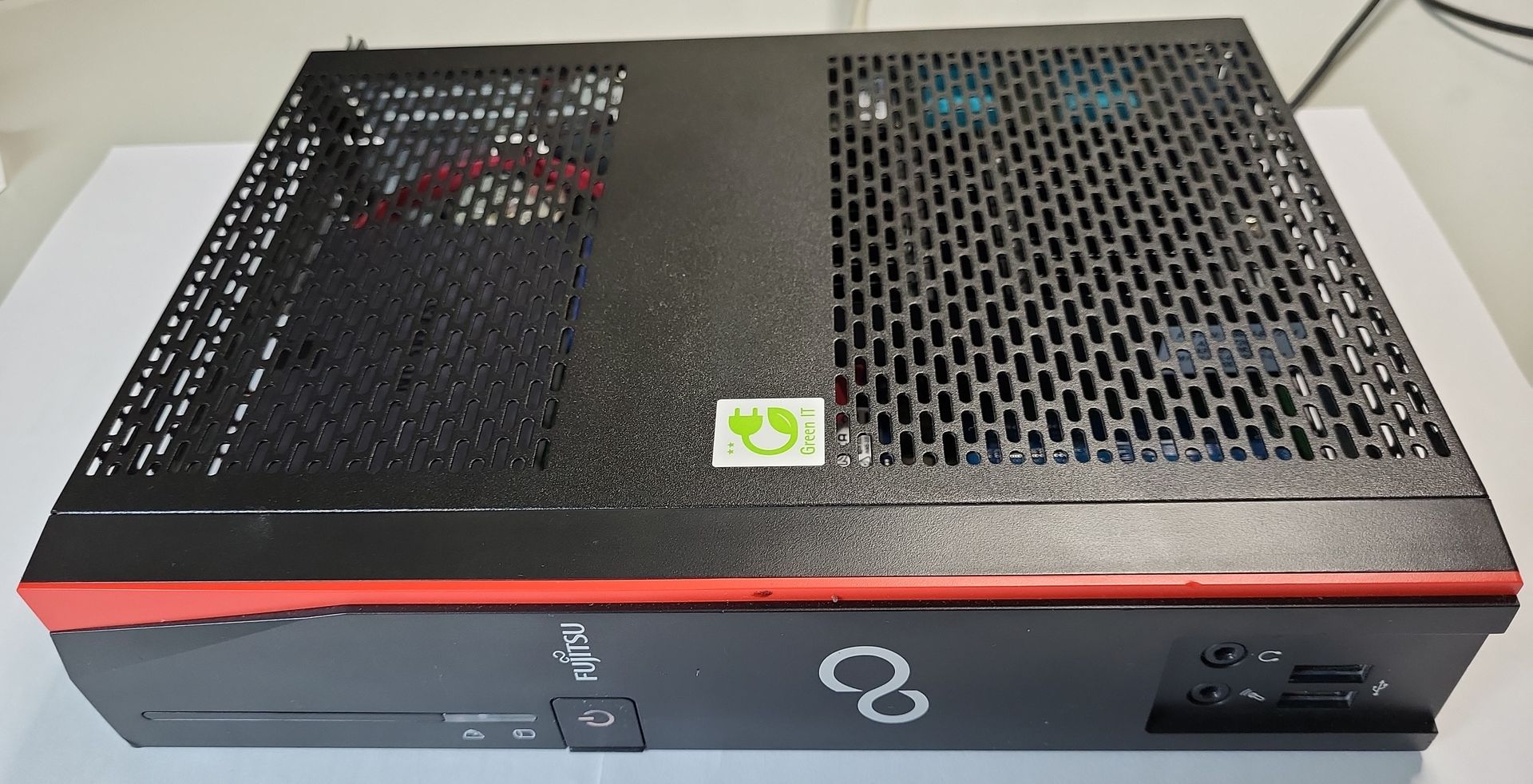
It is flashed with OPNSense because its awesome and much better than a stock vendor OS. Since the ThinClient has only a single Ethernet Port, I added a 4-port Gigabit Intel NIC with a flexible PCI cable.
My old ISP was Telekom DSL and I switched over to Vodafon DSL. I’m physically located in Germany, although that likely doesn’t matter.
Problem Link to heading
The setup with my ISP worked flawlessly for the better part of two years (the occasional lost uplink notwithstanding …) When I moved into the new apartment and had everything plugged in, I couldn’t ping the public Internet, despite the Dashboard showing I had connectivity and was assigned an IP Address by my ISP. Atleast it was not DNS :)
Solution Link to heading
To make an already long story short, here are the steps I took.
-
Call the Vodafone Hotline (yes, I’m sorry you will have to go through a layer of AI slop. I haven’t found a way to do this via the Customer dashboard, which is absolutely horrible btw).
-
Tell them that you need a real Dual-Stack connection, not DS-Light.
-
They will likely ask a few questions to clarify, I was asked specifically if I work from home.
-
After about 24 hours and a few restarts it worked with the settings as described below.
Settings Link to heading
-
This is only the WAN Interface, your LAN side may vary.
-
Basic Interface Settings
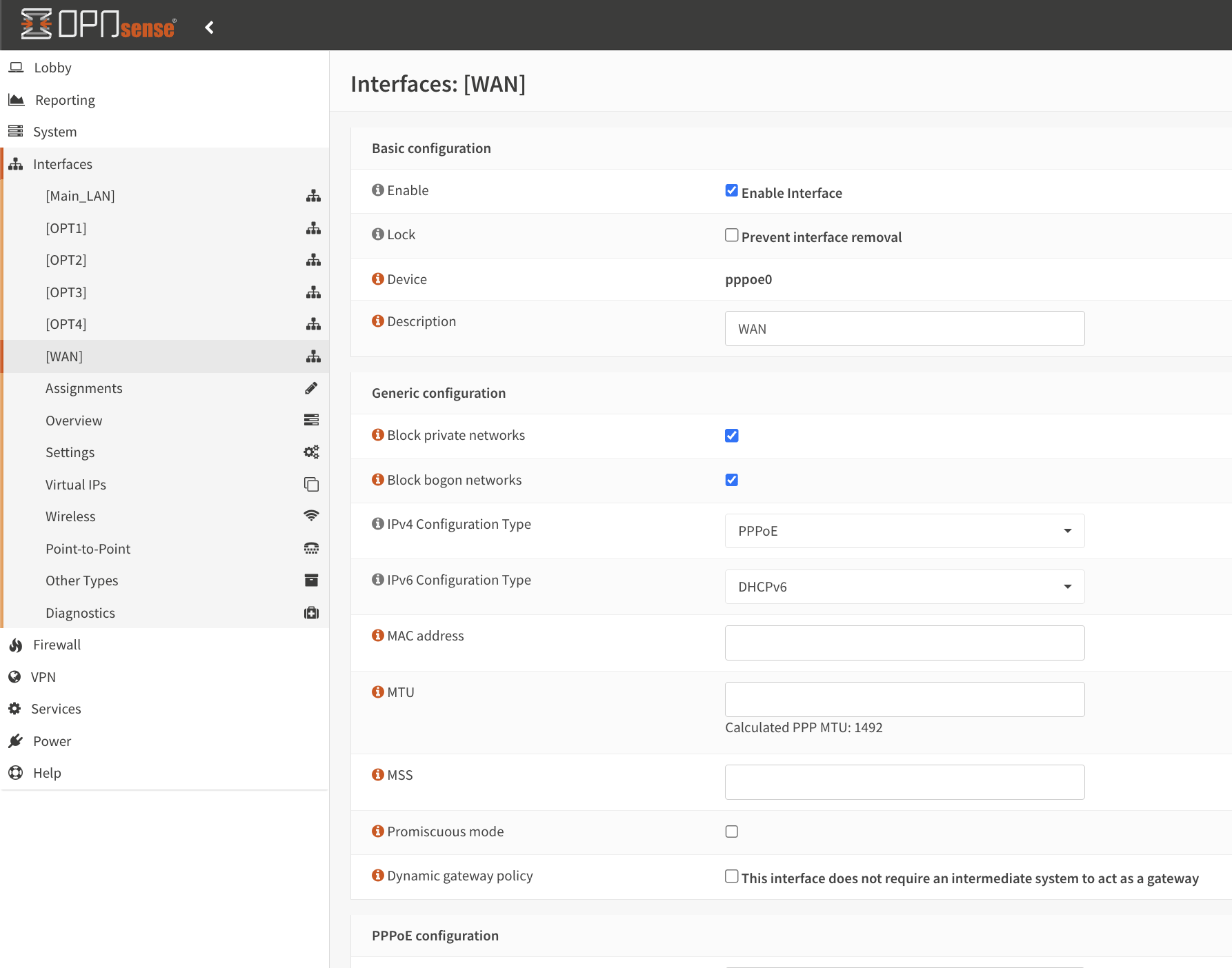
- Set
PPPoEandDHCPv6settings
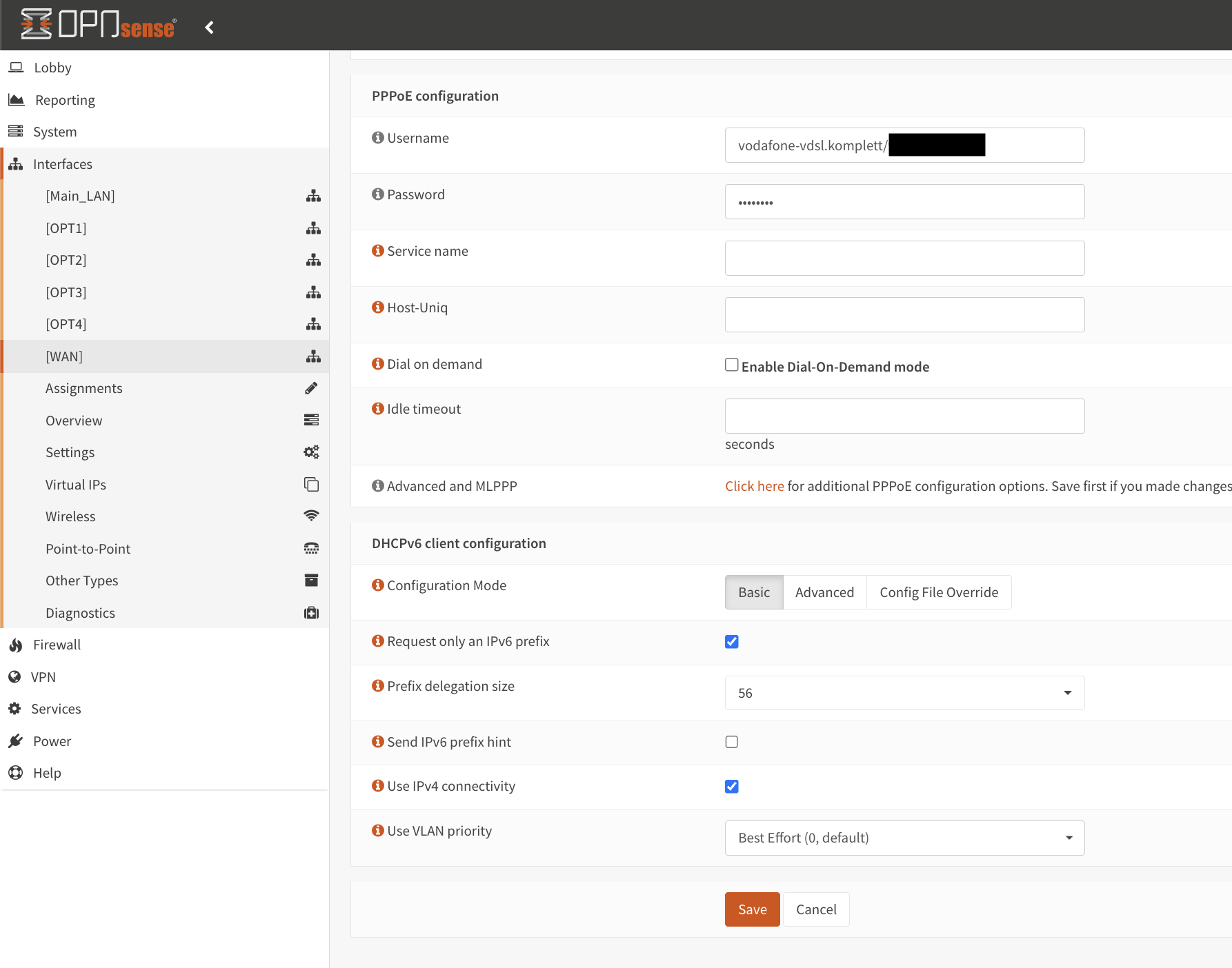
- Enjoy your WAN connectivity again :)